USB Protection Tool - Secure your USB drives, for free!
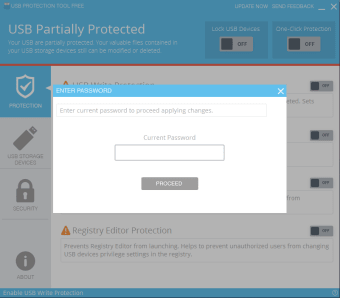
USB Protection Tool is a great tool for adding some additional security to your USB drives. The powerful write protection included in the application prevents the unauthorised altering of files saved on your USB devices. In addition to this the application offers registry protection as well as disabling of USB ports on your computer.
Pros
Protects USB drives from unauthorized access
Advanced security settings such as registry protection
Easy to use interface
Protects computer from unauthorized access
Cons
Application can slow your computer down slightly
Setting up of advanced features can be complicated
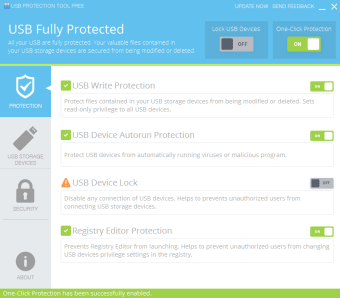
Secures all your USB with the Write Protection,Autorun Protection, Device Lock Protection and more.
USB Protection Tool is a powerful and easy-to-use software which secures all your USB with it's features. It consists of multiple powerful feature to protect the USB in all forms. Details about it's protection features are explained below.USB Write Protection protects files contained in your USB Storage Devices from being modified or deleted. USB Device Autorun Protection secures and protects USB from automatically running viruses or malicious programs. USB Device Lock Protection will disable any connection of USB devices. This helps to prevent unauthorized users from connecting USB devices.Registry Editor Protection defends from unauthorized users from launching Registry Editor.
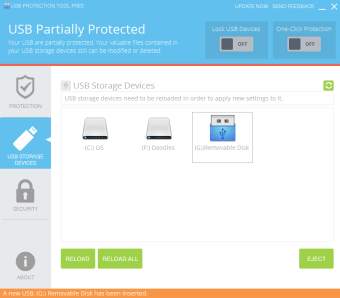
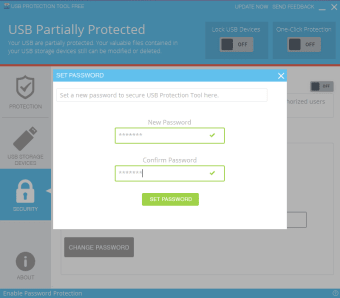
USB Protection Tool has the most beautiful user interface and user experience than it's competitors. USB Protection Tool features are the most powerful compare to it's competitors. It's competitors lack of the Password Protection, Registry Protection and USB Storage Manager.
Laws concerning the use of this software vary from country to country. We do not encourage or condone the use of this program if it is in violation of these laws. Softonic may receive a referral fee if you click or buy any of the products featured here.